Your library inside your DAW
The plugin (VST3 and AU on macOS, VST3 on Windows) loads your versions without leaving the session. Compare your song against the reference and get back to work.
Upload every version, get time-stamped feedback and listen anywhere: on the web, on your phone or in your DAW.
No more voice notes asking “what minute was that?”.
Every version is kept and pending notes carry over to the next one, so no correction gets lost.
The plugin (VST3 and AU on macOS, VST3 on Windows) loads your versions without leaving the session. Compare your song against the reference and get back to work.
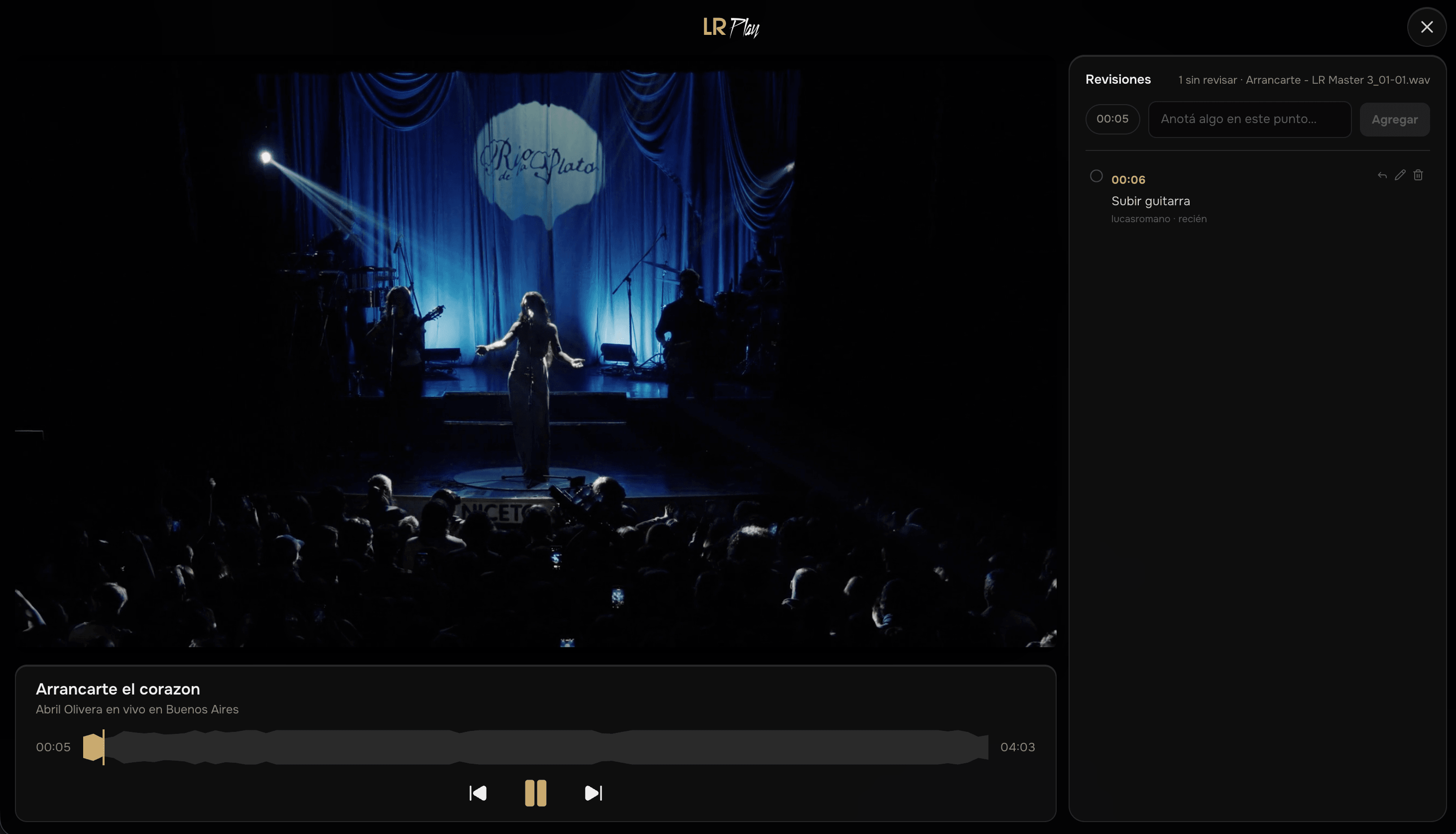
Upload the reference video and LRplay lines it up with the song by itself. You can leave notes without leaving the video, in full screen.
Build the setlist with each song's stems and mute what you'll play live. Lyrics follow the song line by line, and rehearsals are scheduled with place and time for the whole band.
Your client signs in with their Google account. They listen and leave notes, but can't touch or delete your files. You see who joined and when.
Upload the WAV or FLAC and it plays as is: no recompression, at the same resolution it left your session. On the web, on iPhone and offline.
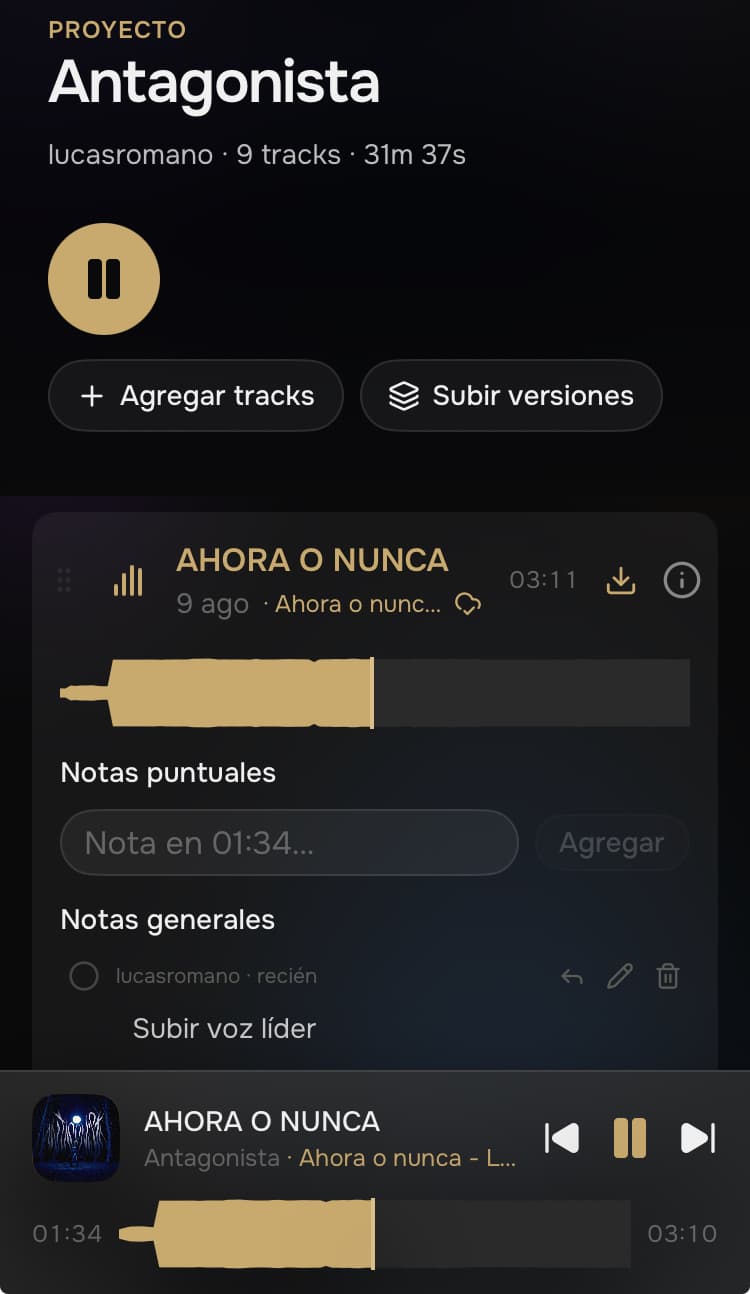
Listen to your projects, leave time-stamped notes and download them to listen offline, in the studio or on the road.
Deliver versions and get organized corrections, each one at its exact moment.
Follow how every track evolves and keep all versions in one place.
Everyone hears the same thing and comments on the same second, wherever they are.
Start for free and try Pro for 14 days, no card needed, with 10 GB of storage. Move to Pro or Pro Plus when you need it.
Lossless audio on every plan
Your WAV and FLAC files play exactly as you uploaded them, at the same resolution. Free, Pro and Pro Plus.
2 GB of storage, up to 2 projects
Free
A place to upload your songs and masters in progress, listen with a comfortable player and share them with whoever needs to weigh in, with notes pinned to the exact second.
The plugin is VST3 and AU on macOS, and VST3 on Windows. We tested it in Studio One and Ableton Live; if your DAW loads either format, it should work.
Yes. The VST3 plugin has a Windows installer (64-bit), as well as the Mac one.
They sign in with their Google account from the link you send and pick a username. Being a guest is always free: your client pays nothing, and inviting costs you nothing either — every plan has unlimited guests.
Listen (including synced video and stems, if you uploaded them), leave time-stamped notes and reorder tracks. They can't delete or replace your files.
Only you and the people you invited. Files aren't public: they're served with links that expire.
Switch between versions while it plays, without stopping playback, and pin the one that counts when you're sure.
Download a project to listen offline and get an alert when someone uploads a new version.
Available for iPhone on the App Store.
100 GB of storage, unlimited projects and songs
US$9 / month
No card needed · 10 GB during the trial · then US$9/month if you want to keep it
250 GB of storage, unlimited projects and songs
US$15 / month
From Argentina, in pesos with Mercado Pago: the amount comes from the US dollar price at the day's MEP rate. If the rate moves more than 5%, we email you before adjusting the charge. From any country you can also pay in US dollars with PayPal.
Yes: from Your plan you can try Pro free for 14 days, once per account and without a card. When it ends your account moves to Free on its own and nothing is deleted. During the trial you get 10 GB of storage.
From Your plan, inside the app, whenever you want, with no minimum term. You keep the plan until the end of the month you already paid and then the account moves to Free: your projects and files aren't deleted.
You have 10 calendar days from purchase to change your mind, at no cost and without giving a reason: we refund everything to the same payment method. It's under Cancel a purchase, at the bottom of this page.
You get Pro Plus right away and pay nothing extra that month. The first Pro Plus charge falls on the day Pro would have been charged, and it's monthly from there.